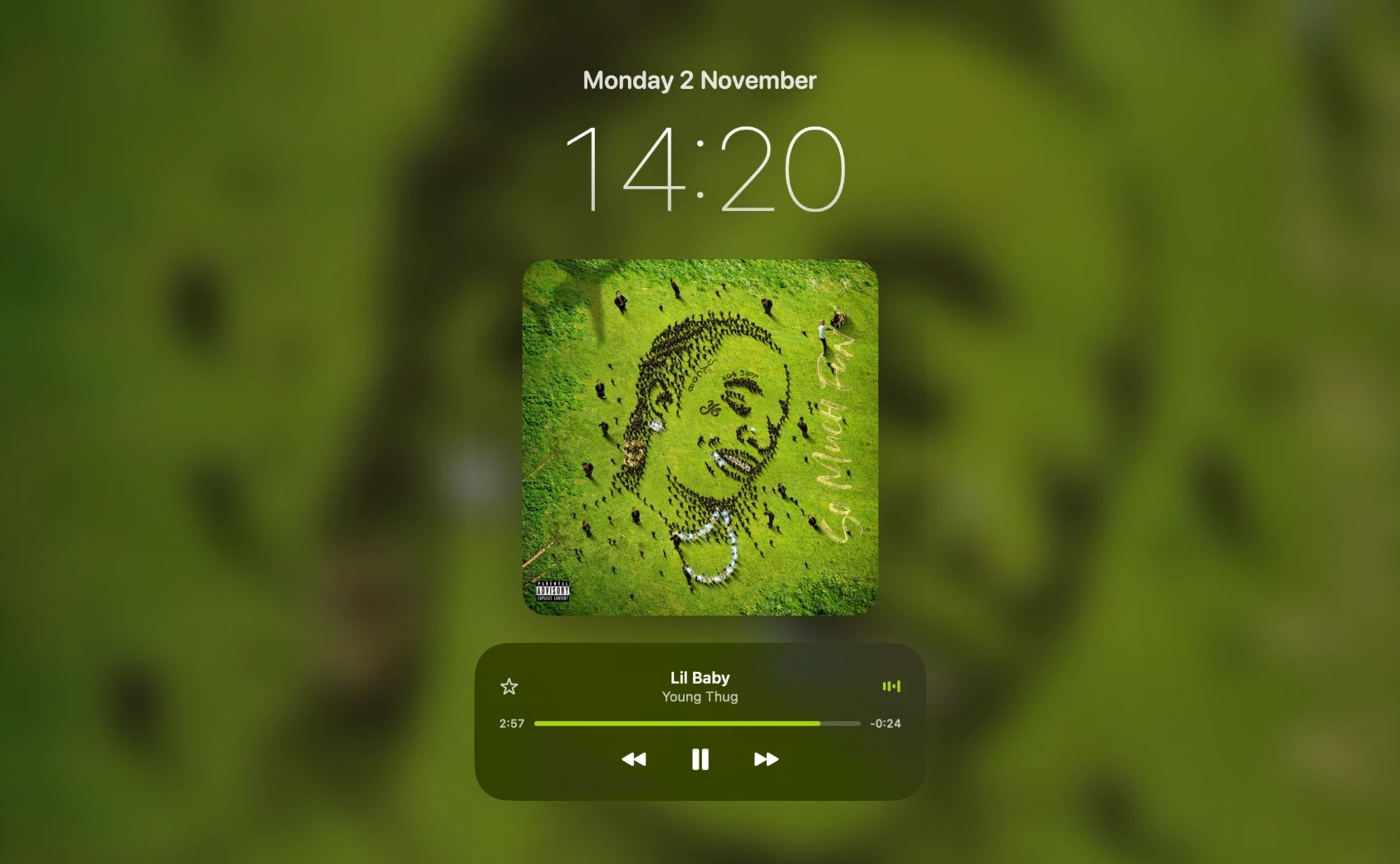
A compact player, on hover
Move your pointer to the notch and it opens into a refined player: album artwork, track title and artist, and playback controls. Move away and it disappears.
Ledge turns the notch into a Dynamic Island-style music player. Hover to open it, and see your music carried through to the lock screen.
Free forever · Pro includes a 48-hour free trial · macOS 14 or later
Hover over the notch. That’s it.
Step away and your album art is still there, front and centre, with playback controls under it. Ledge makes the lock screen feel like part of what you’re listening to.
Ledge turns dead pixels into the most useful part of your menu bar.
Move your pointer to the notch and it opens into a refined player: album artwork, track title and artist, and playback controls. Move away and it disappears.
Control how your music plays without opening the app.
A beautiful, immersive view of the track you’re listening to.
Monitor battery levels and get notified when it matters.
Elegant on-notch feedback as you change the volume.
Jump between speakers, headphones and AirPods in a click.
Pick your lock screen clock style, blur and dim the artwork, choose the equaliser colour, and set how quickly the notch opens.
Ledge is a small, native Mac app that sits quietly at the top of your screen until you need it.
Built natively for macOS. No Electron, no bundled browser, no bloat.
Typically a fraction of a percent of one core while music plays, and well under 50 MB of memory.
No sign-up, no analytics, no ads. Your listening stays on your Mac.
Ledge listens for Spotify and Apple Music’s own play and pause signals instead of constantly checking.
CPU and memory measured on a MacBook with the notch closed and music playing. Results vary with your Mac and what else is running.
No subscription. Ever.
Download Ledge, try Pro free for 48 hours, and decide later.
Requires macOS 14 or later · MacBook with a notch recommended